How it actually goes
- 1
Export from Skimmer
Skimmer has an export function: Settings → Export gives you your customers and your service history, and Reports → Invoice Details gives you your invoices. Three files, a few clicks. It's your data and it hands it over without a fight.
- 2
Import into Lucci
Settings → Import from Skimmer. Choose the files, and that's it. Rows already here are skipped, so running it twice is safe, and any row that fails is listed on screen — nothing fails quietly.
- 3
Run both in parallel until you're happy
Keep Skimmer running and log the same routes in Lucci for a week. Compare them side by side every evening. Nothing is deleted in either system.
- 4
When you're happy, make the switch
One button ends parallel run and records your go-live date. Techs start Monday on the new route and nothing before that date is ever re-billed or re-sent.
Three exports out of Skimmer, one import into Lucci
Skimmer has an export function. You use it, then you load those files into Lucci. That's the whole migration. You stay logged into Skimmer the entire time — nothing here cancels anything or touches your route.
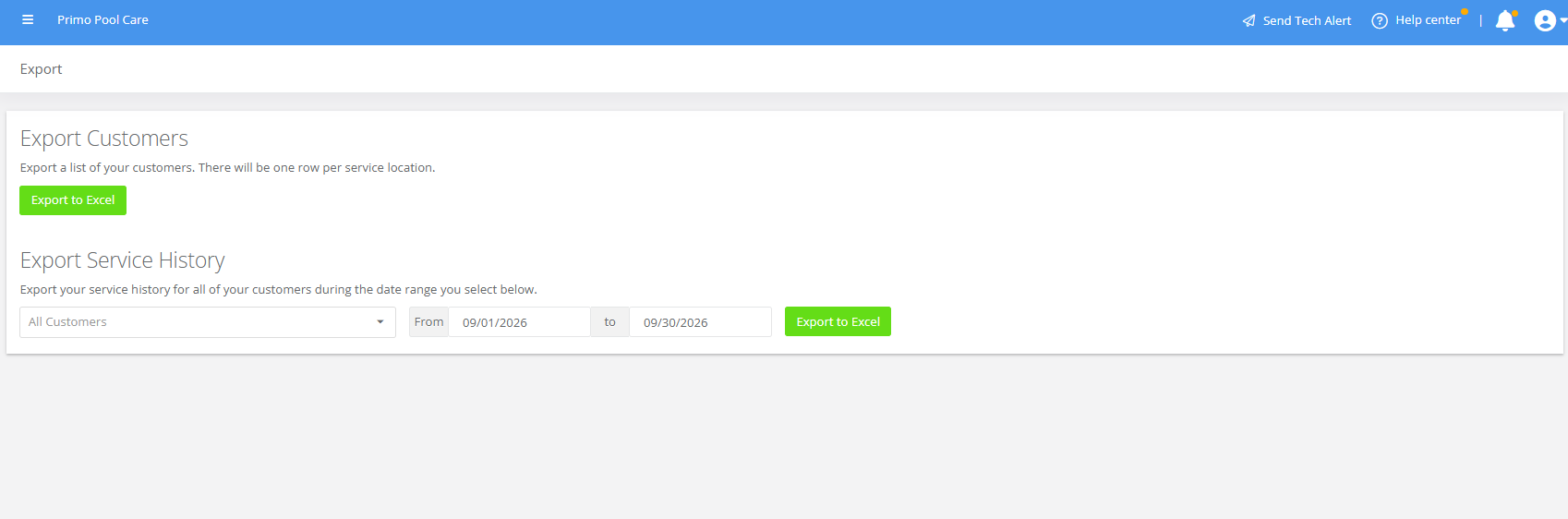
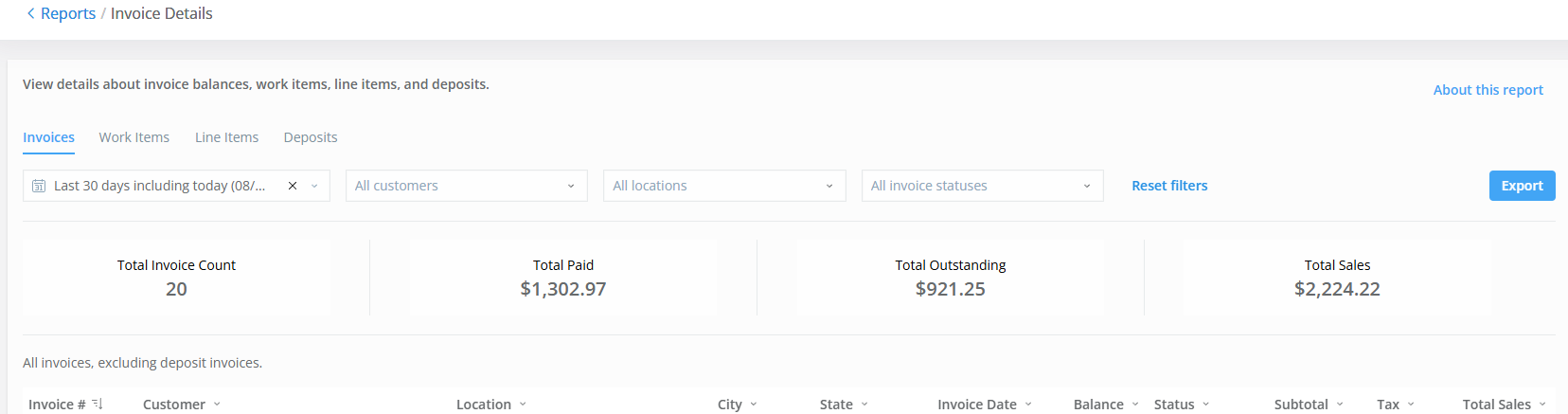
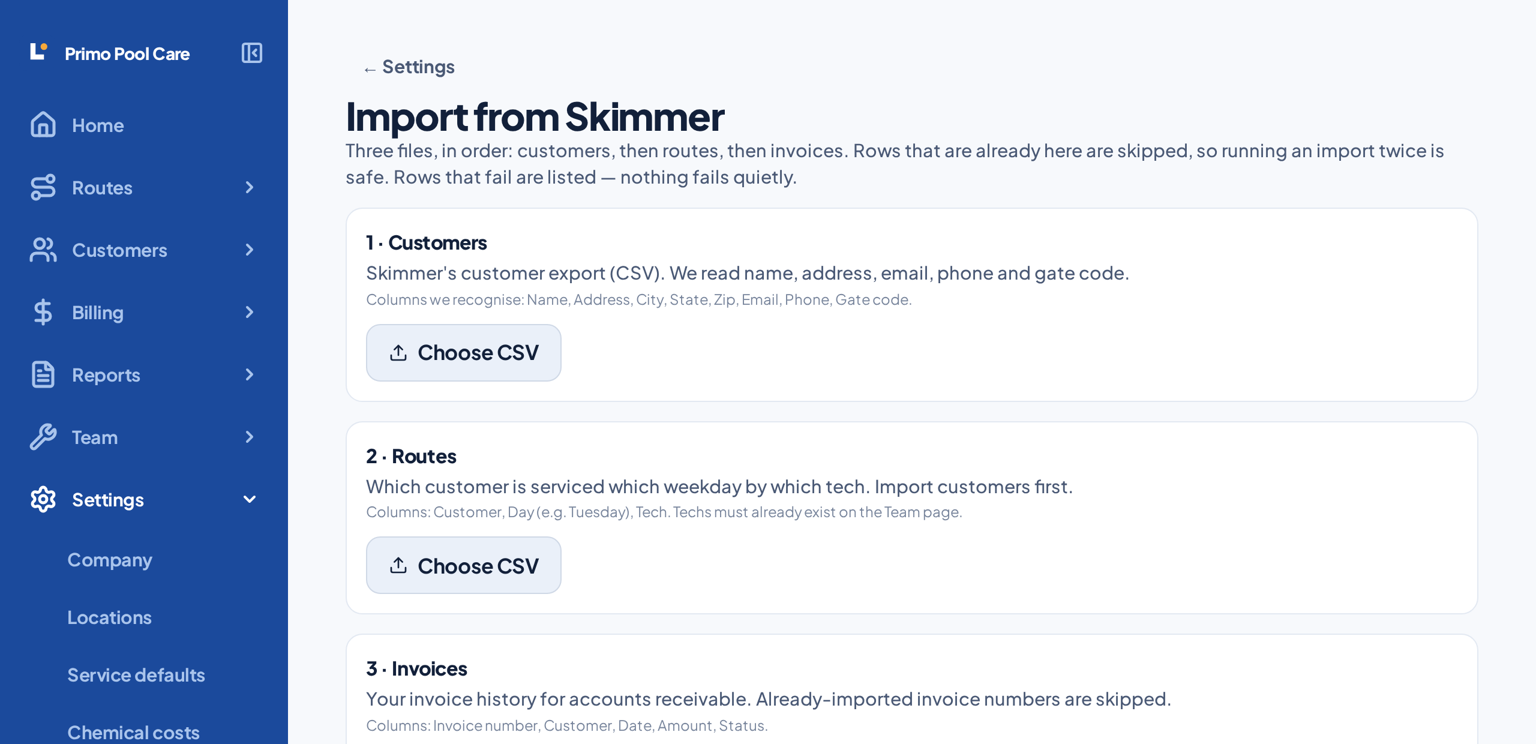
4 · Then run both in parallel. Log the same day in Skimmer and in Lucci for a week and compare them yourself. When you're happy, you make the switch — one button, and your go-live date is recorded so nothing before it is re-billed or re-sent. Stuck on any of it? Email support@getlucci.com and we'll do it with you.
What comes over, plainly
- Customers, addresses, contacts, gate codes and service history come across from Skimmer's own export.
- Service history comes in as history — every visit with its readings and chemicals, marked so nothing is ever re-sent or re-billed.
- Photos and file attachments generally do not come out of Skimmer's export. Nobody's import can bring what the export doesn't contain.
- Skimmer doesn't export your schedule, so Lucci rebuilds it from the history: each customer is placed on the weekday and tech they most often had. You fine-tune the drive order once — or let the optimiser do it.
- Invoices come across from the Invoice Details report with their real balances, and whatever was already collected is recorded as a payment — so open balances stay open and nobody gets billed twice.
Already know you want it? You can start free today and we'll do the migration underneath you. See pricing.
Tell us what you're on
We'll look at your export and tell you exactly what will and won't come across. No charge, no obligation.
Run both systems at once. Your customers never notice.
Nobody should have to trust new software with a live route on faith. Turn on Parallel Run and Lucci records every stop, reading and photo — but sends nothing at all. No service report emails, no arrival messages, no invoices, no QuickBooks push. Skimmer keeps talking to your customers while you prove the new system on the same pools, the same day.
- Everything is recorded, nothing is sent — held messages are listed so you can see exactly what would have gone out.
- A daily reconciliation screen compares what Skimmer says happened with what Lucci logged, stop by stop.
- Differences are named in plain language: missed stops, missing readings, invoice totals that don't match.
- When the numbers line up, one button ends parallel run and records your go-live date, so nothing before it is ever re-billed or re-sent.
Questions about switching
- Can I run Skimmer and Lucci at the same time?
- Yes. Turn on Parallel Run and Lucci records everything but sends nothing — no service reports, no arrival messages, no invoices, no QuickBooks push. Your customers keep hearing from your old system while you prove the new one.
- How long should I run both systems?
- One to two weeks is enough for most companies. Log every stop in both, compare the reconciliation screen each evening, and switch once the numbers match.
- Will my old service visits come across?
- Yes — every visit in Skimmer's Service History export comes in with its tech, readings and chemicals added, marked as history. It is never re-sent to customers and never re-billed.
- What data comes across from Skimmer?
- Customers, addresses, contacts, gate codes, monthly rates, minutes at stop, and full service history. Your route schedule is rebuilt from the history — each customer lands on the weekday and tech they most often had. Photos and file attachments generally do not export from the old system.
- What about invoices and payments?
- Skimmer's Reports → Invoice Details report exports too. Bring that file in and your invoices arrive with their real balances, and what was already collected is recorded as a payment against each one — so anything still owing stays open instead of being billed twice. Skimmer has no payments export, so the amounts are worked out from each invoice's total and balance.